Browser extension for Chrome and Firefox
Import from AliExpress without leaving AliExpress
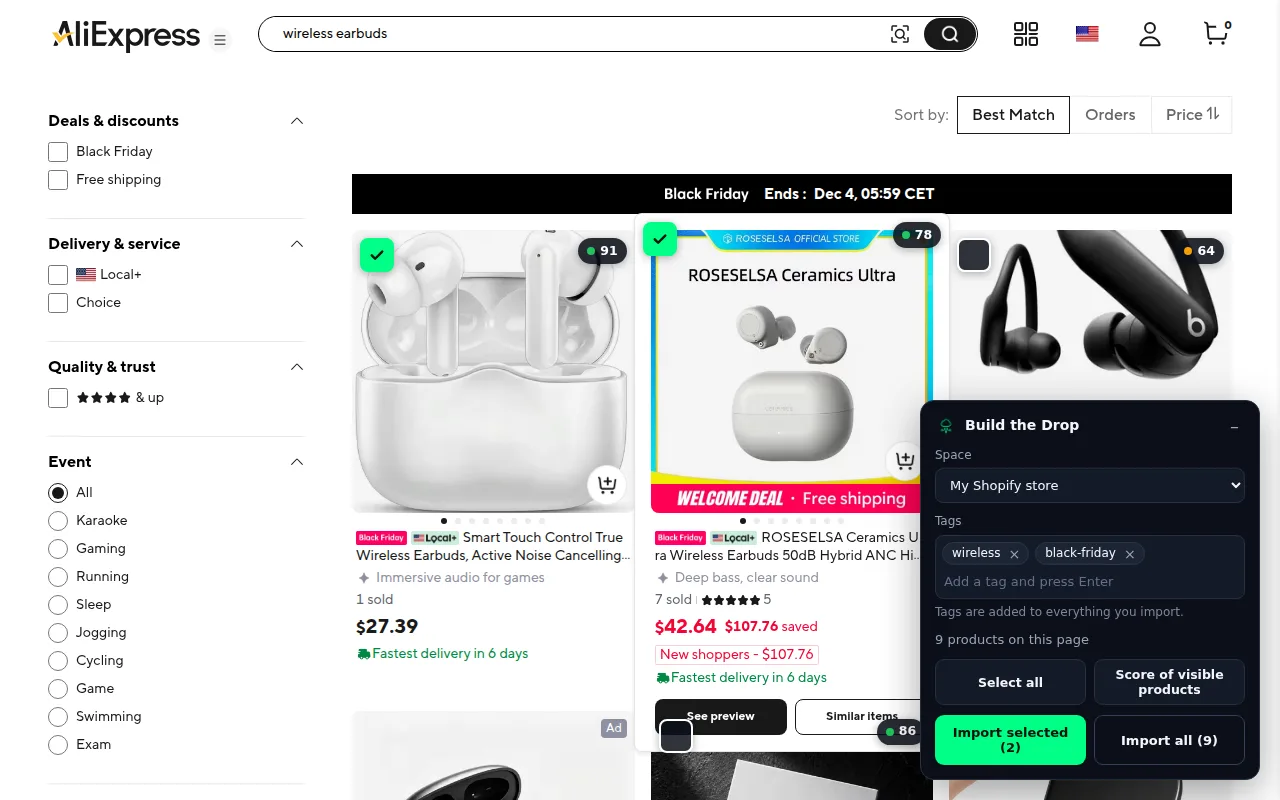
The Build the Drop extension adds a panel to AliExpress: save the product you are looking at, tick several on any search and check each one's score before you sell it.
 Add to Chrome
 Add to Firefox
Free. Works with your Build the Drop account.
Everything you need, right on AliExpress
01
One click from the product page
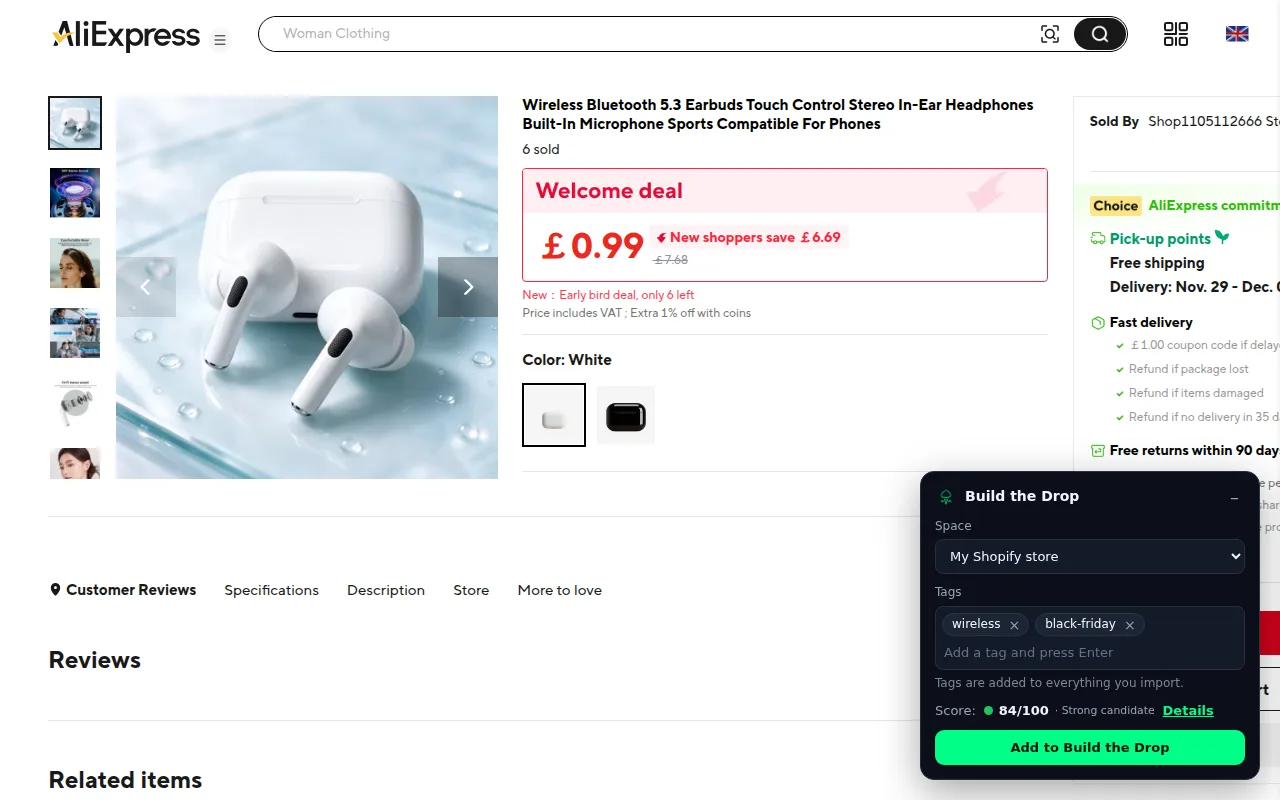
Open any AliExpress product and press Add to Build the Drop. It is saved in My products with your tags.
02
Import a whole page at once
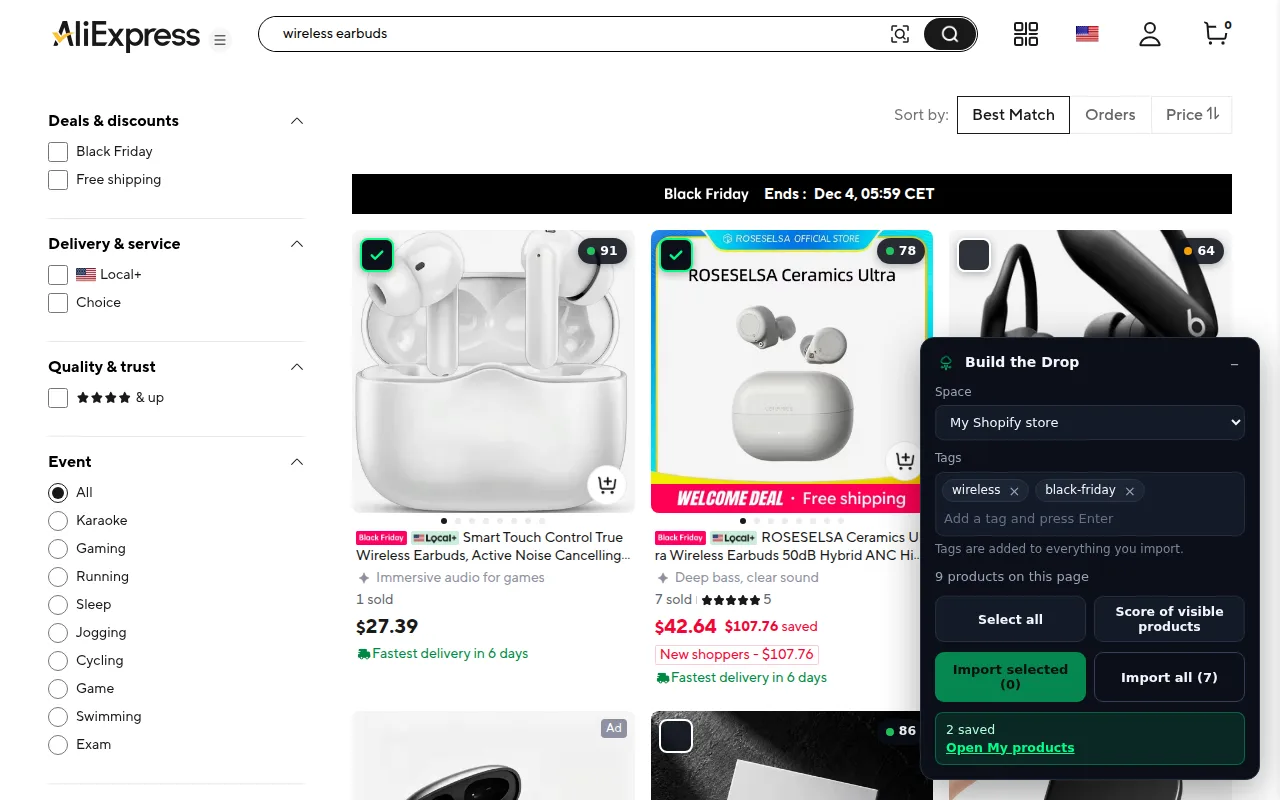
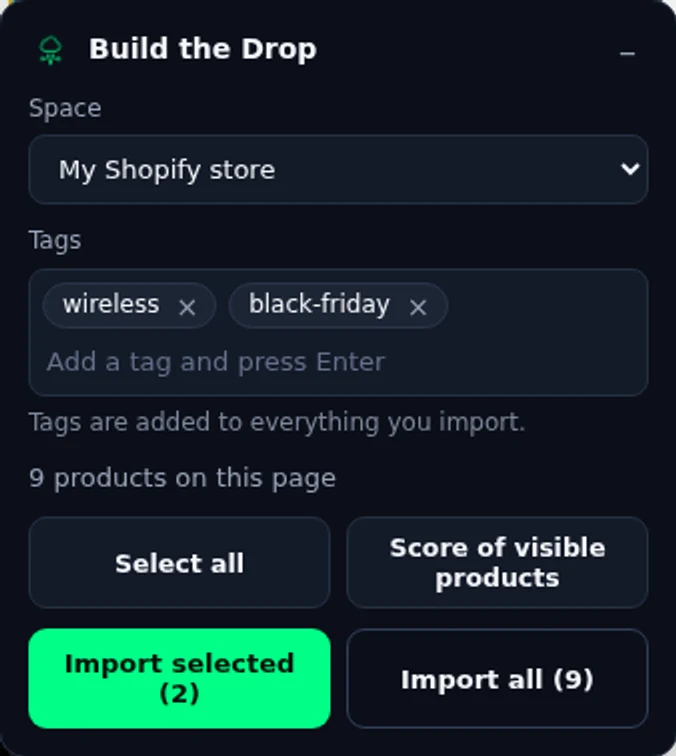
On searches, categories and stores, tick the products you want or select them all, and import them together.
03
Know which products are worth it
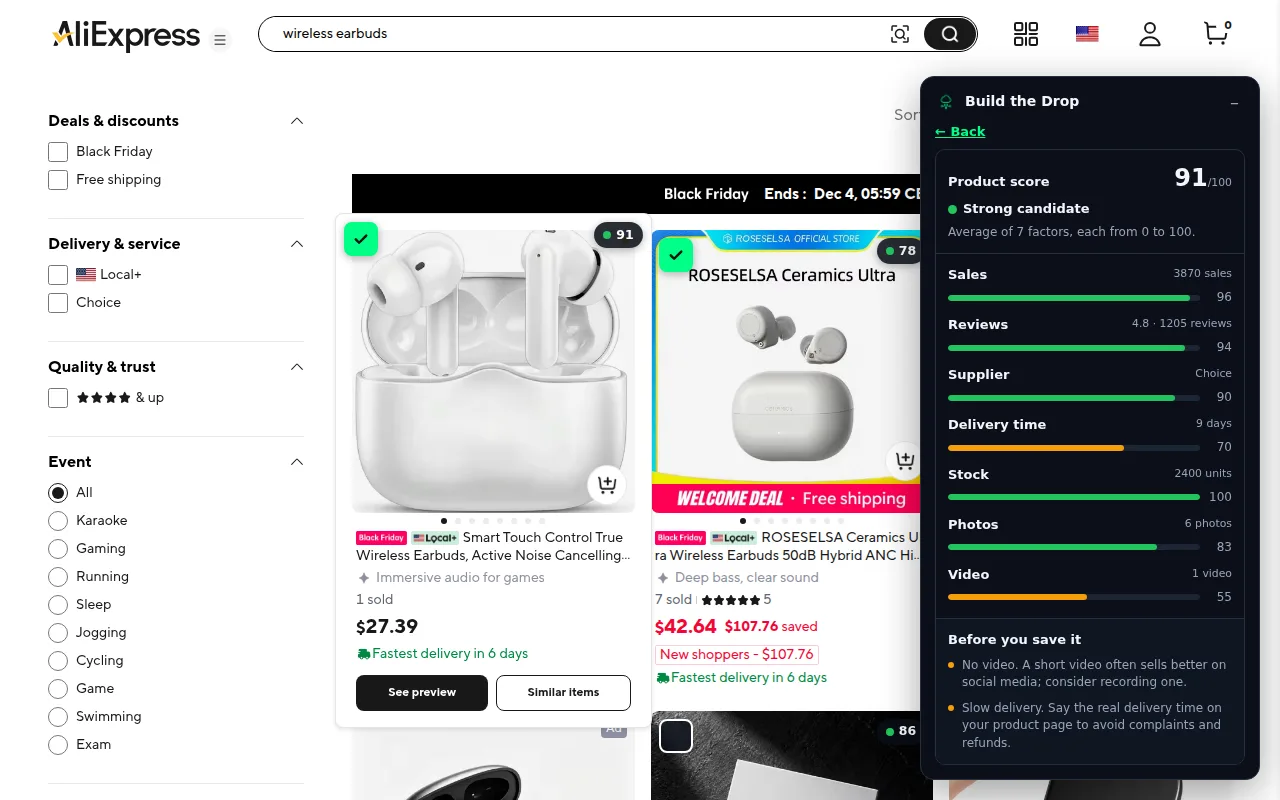
Every product gets a score from 0 to 100 (sales, reviews, supplier, delivery, stock, photos and video) with tips on what to check. Included in the paid plans.
04
Your store and your tags
Pick the store (space) the products go to and add tags that are applied to everything you import.
How it works
- 1
Install the extension
Add it to Chrome or Firefox. Edge, Brave and other Chromium browsers install it from the Chrome Web Store.
- 2
Sign in to Build the Drop
The extension uses your website session: there is nothing to configure and it never sees your password.
- 3
Import from AliExpress
Connect AliExpress to your space, then use the panel in the bottom-right corner of any AliExpress page.
Private by design
It only runs on AliExpress and only sends what each action needs: the products you score or save, your space and your tags. It does not read your browsing history or collect data from other websites.
Read the privacy policyQuestions about the extension
Start with a free account
Create your Build the Drop account, connect AliExpress and your store, and import your first products from AliExpress today.