
Import AliExpress products to Shopify and automate your orders
Build the Drop connects your AliExpress account to your Shopify store: import products with all their variants, keep stock and prices in sync, and place every order on AliExpress automatically — in bulk, from one dashboard.
Free plan with 50 products. Upgrade only when you sell.
AliExpress dropshipping on Shopify, without the manual work
Selling AliExpress products on Shopify usually means copying listings by hand, checking stock every day and buying each order on AliExpress yourself. It works for ten orders. It doesn't work for a hundred.
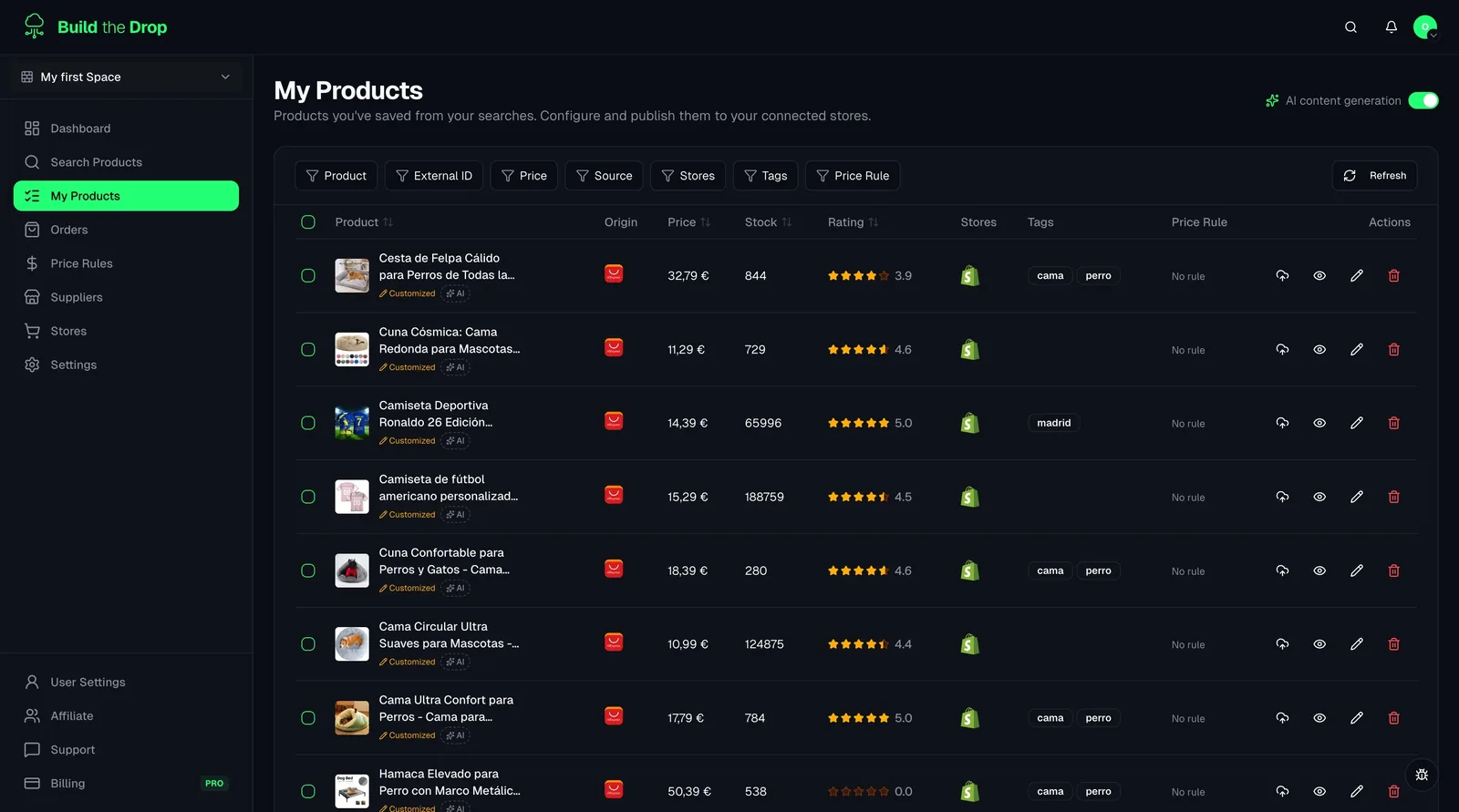
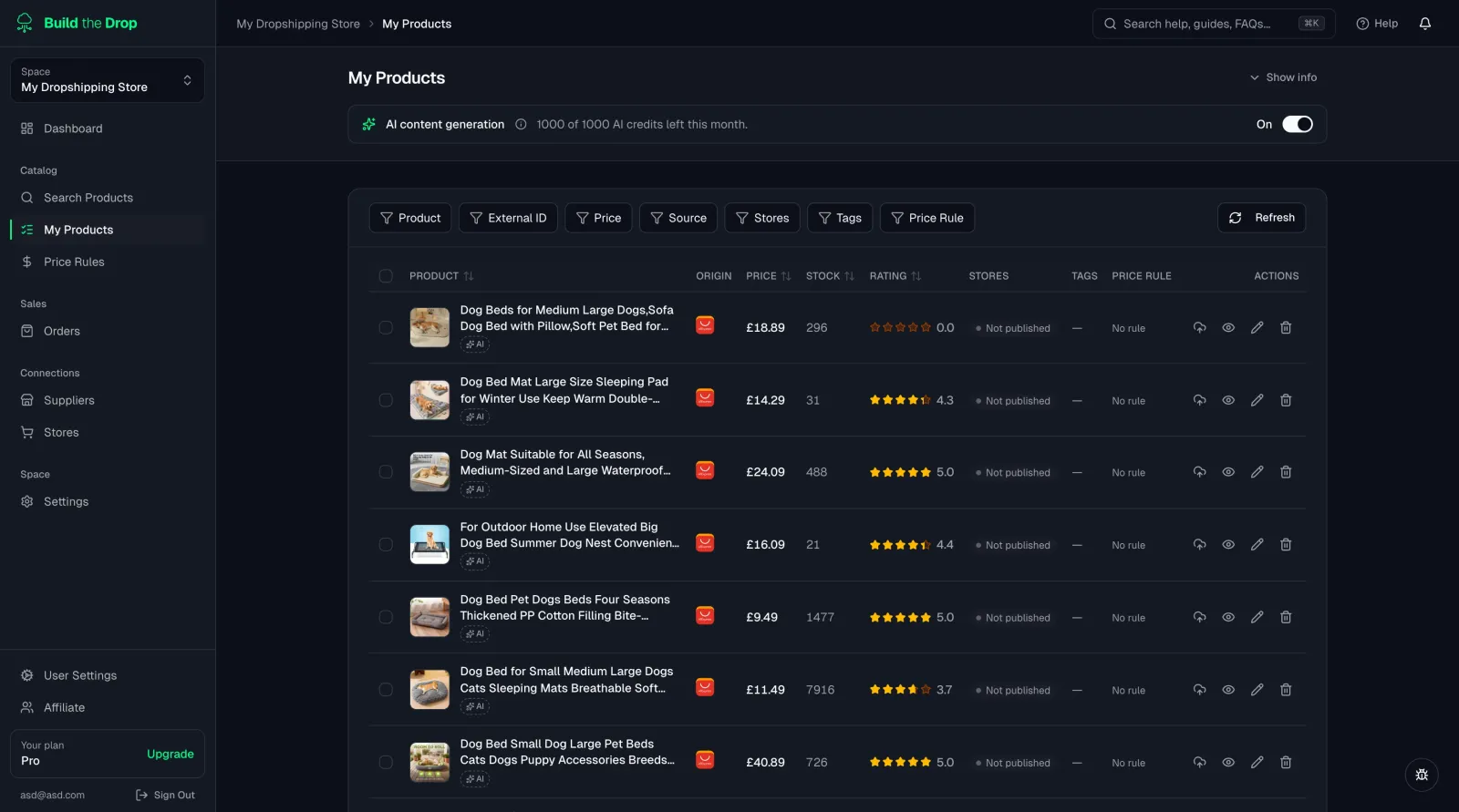
Build the Drop automates the whole loop. You search AliExpress from your dashboard, save the products you want with your price rule already applied, and publish them to Shopify in bulk. Stock and prices stay in sync on their own, and when a customer buys, the order is sent to AliExpress — automatically on Pro and Business — and the tracking number goes back to Shopify.
From AliExpress to Shopify in five steps
- 1
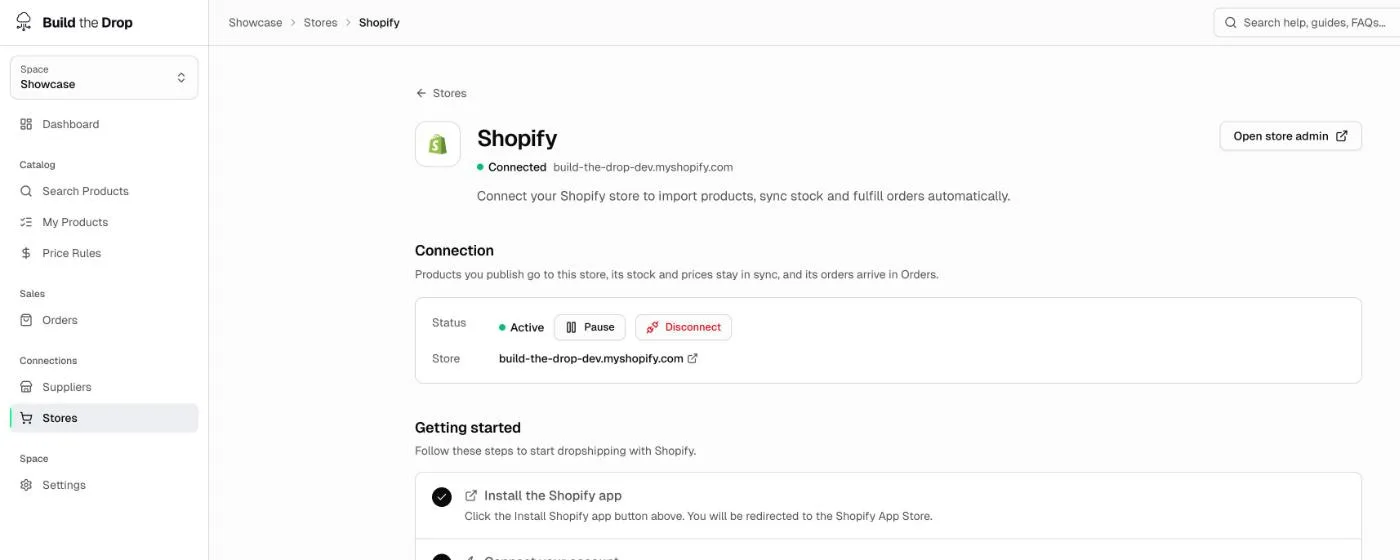
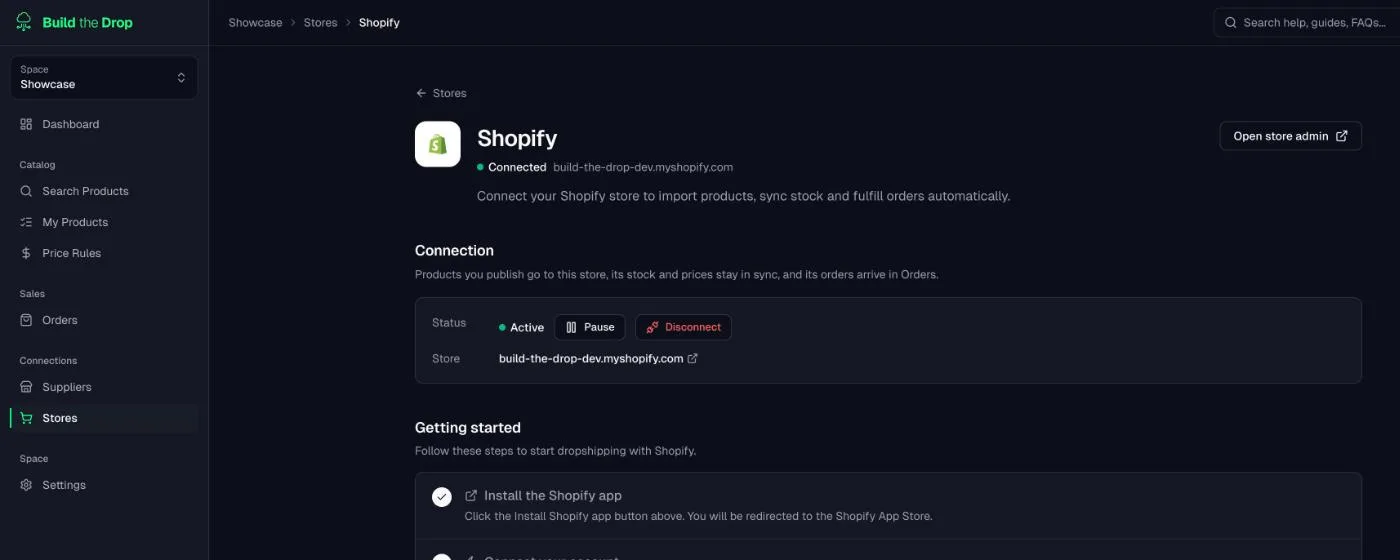
Connect your Shopify store
In Stores, choose Shopify and install the Build the Drop app from Shopify. A one-time code links the app to your account and the store shows as Connected.
- 2
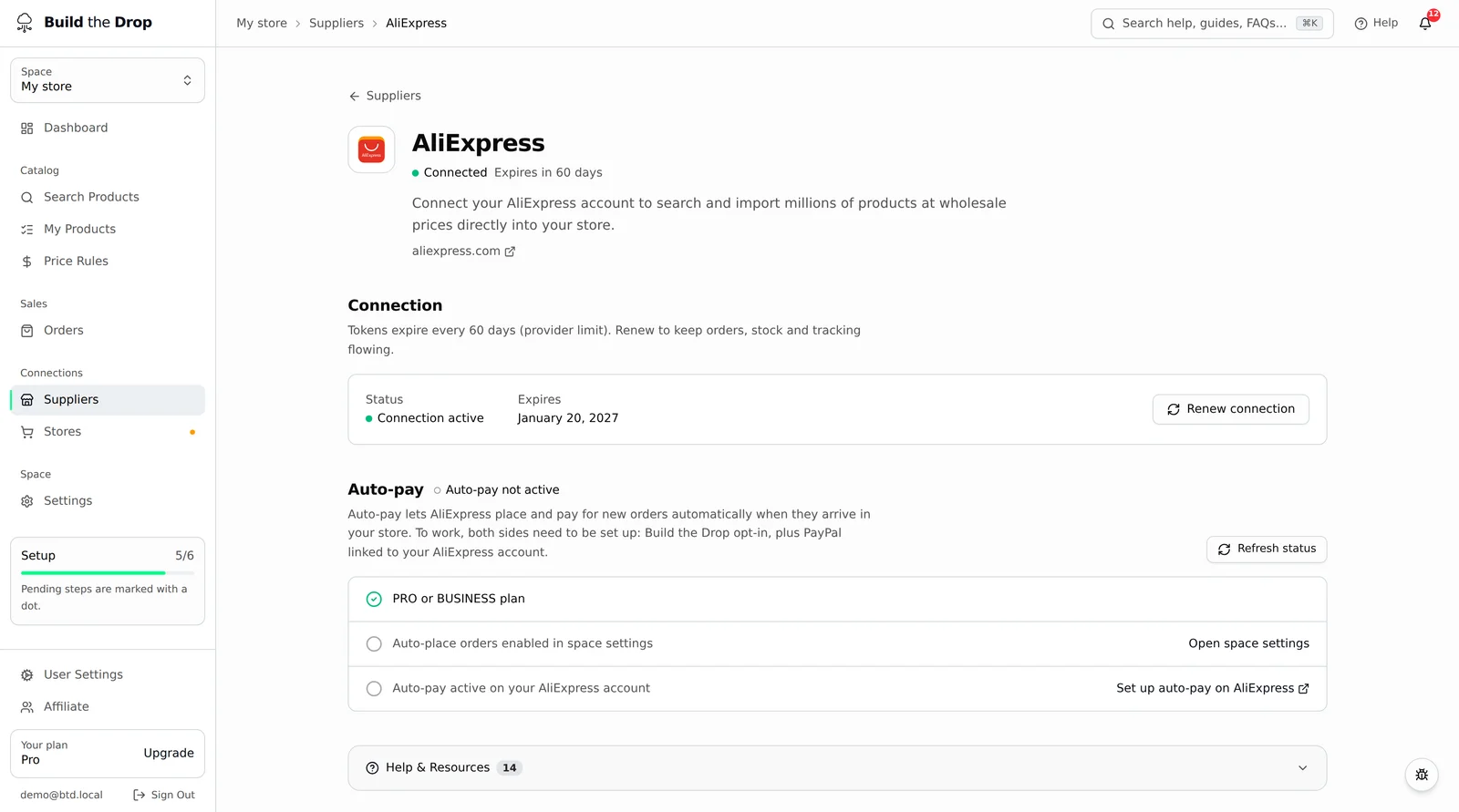
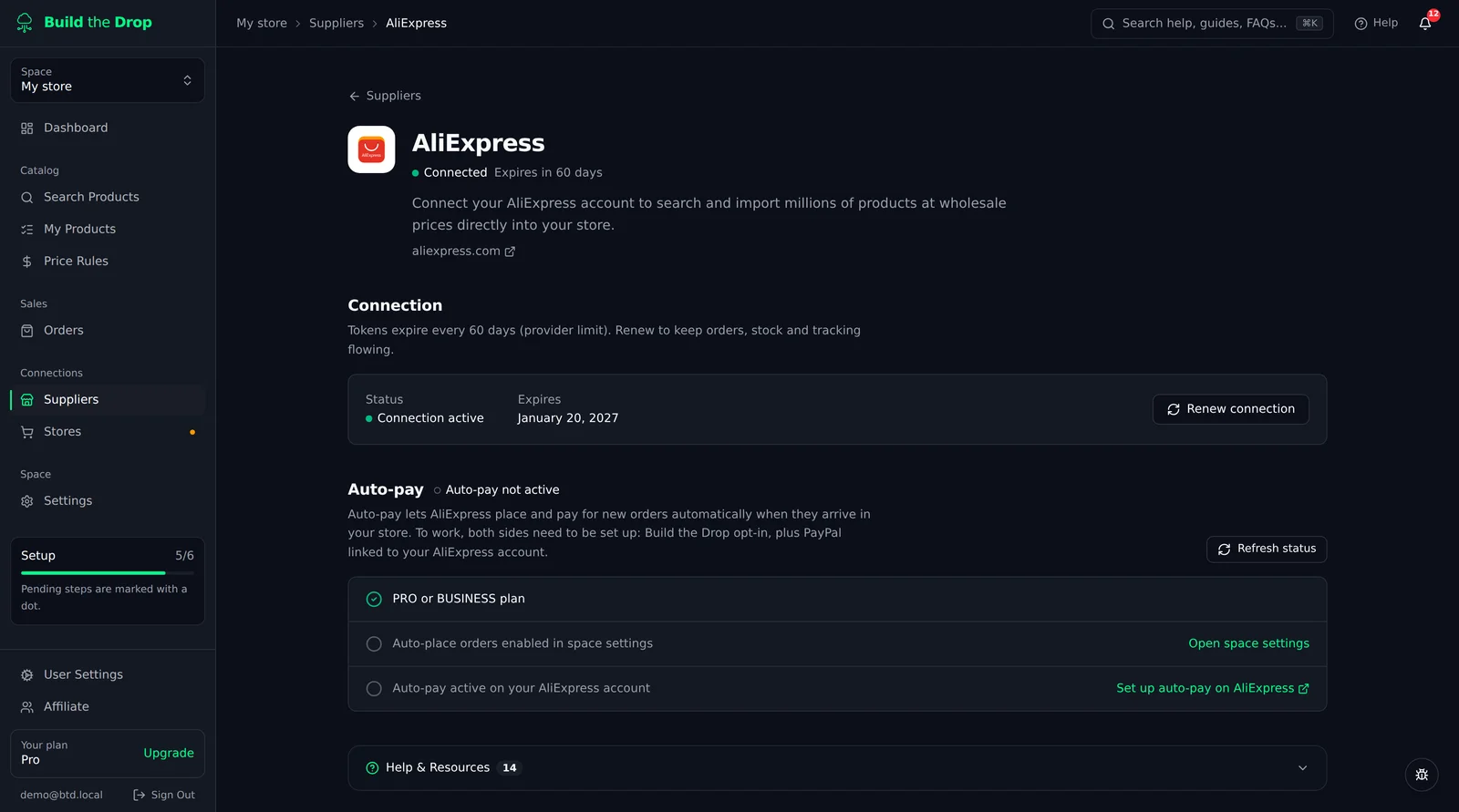
Connect AliExpress
Open Suppliers, choose AliExpress and authorize the connection on AliExpress. It takes about 30 seconds. The connection lasts 60 days (an AliExpress rule) and we email you before it expires.
- 3
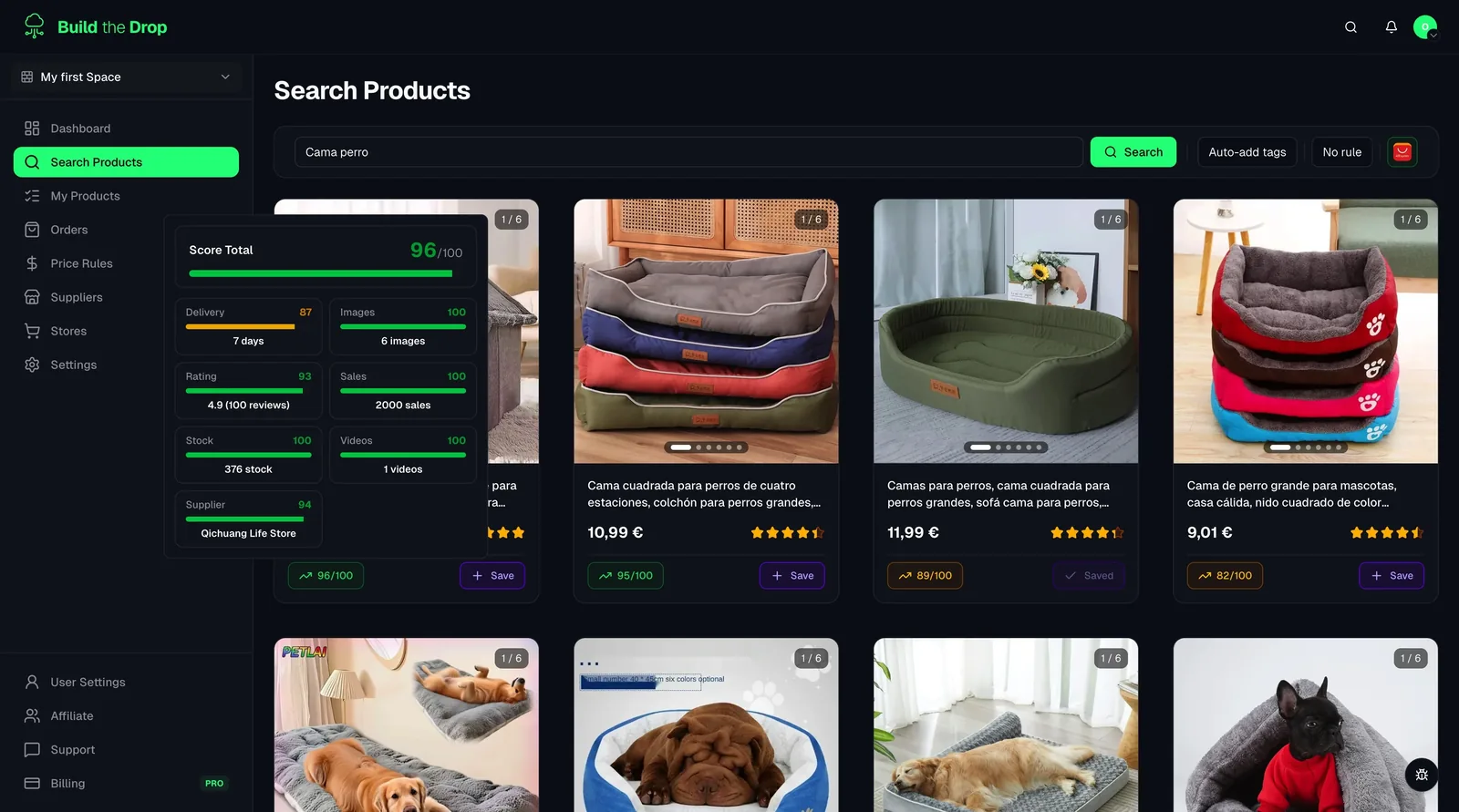
Search and save products
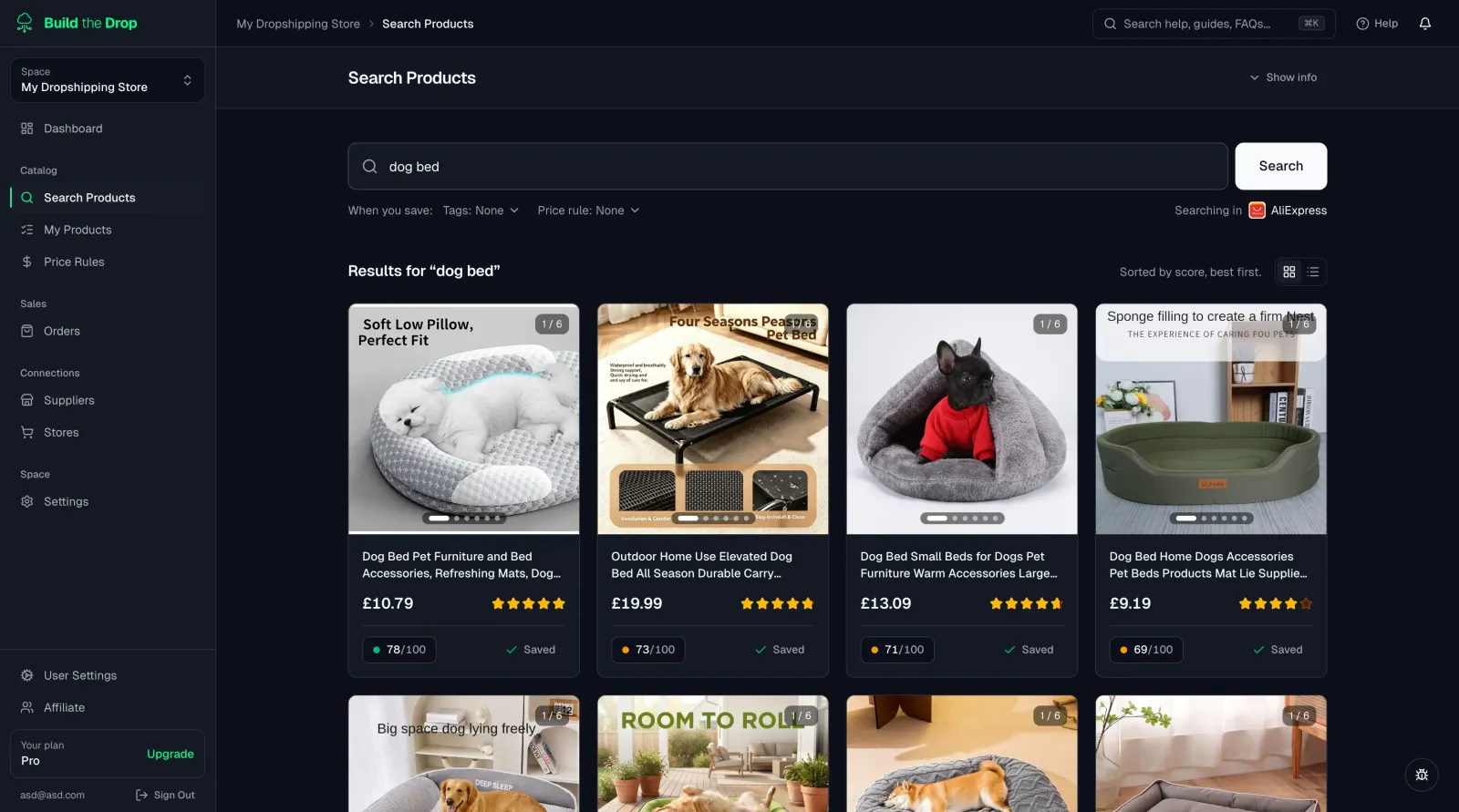
Search the AliExpress catalog from your dashboard, or paste a product URL. Each result has a score from 0 to 100 based on sales, rating and shipping, so the best products come first. Save the ones you like in one click: the tags and price rule you chose are applied as you save.
- 4
Publish to Shopify in bulk
Select dozens of products in My Products and publish them to Shopify at once, with every variant, photo and the price your rule calculates. Edit the title, description and photos first if you want to.
- 5
Orders come in by themselves
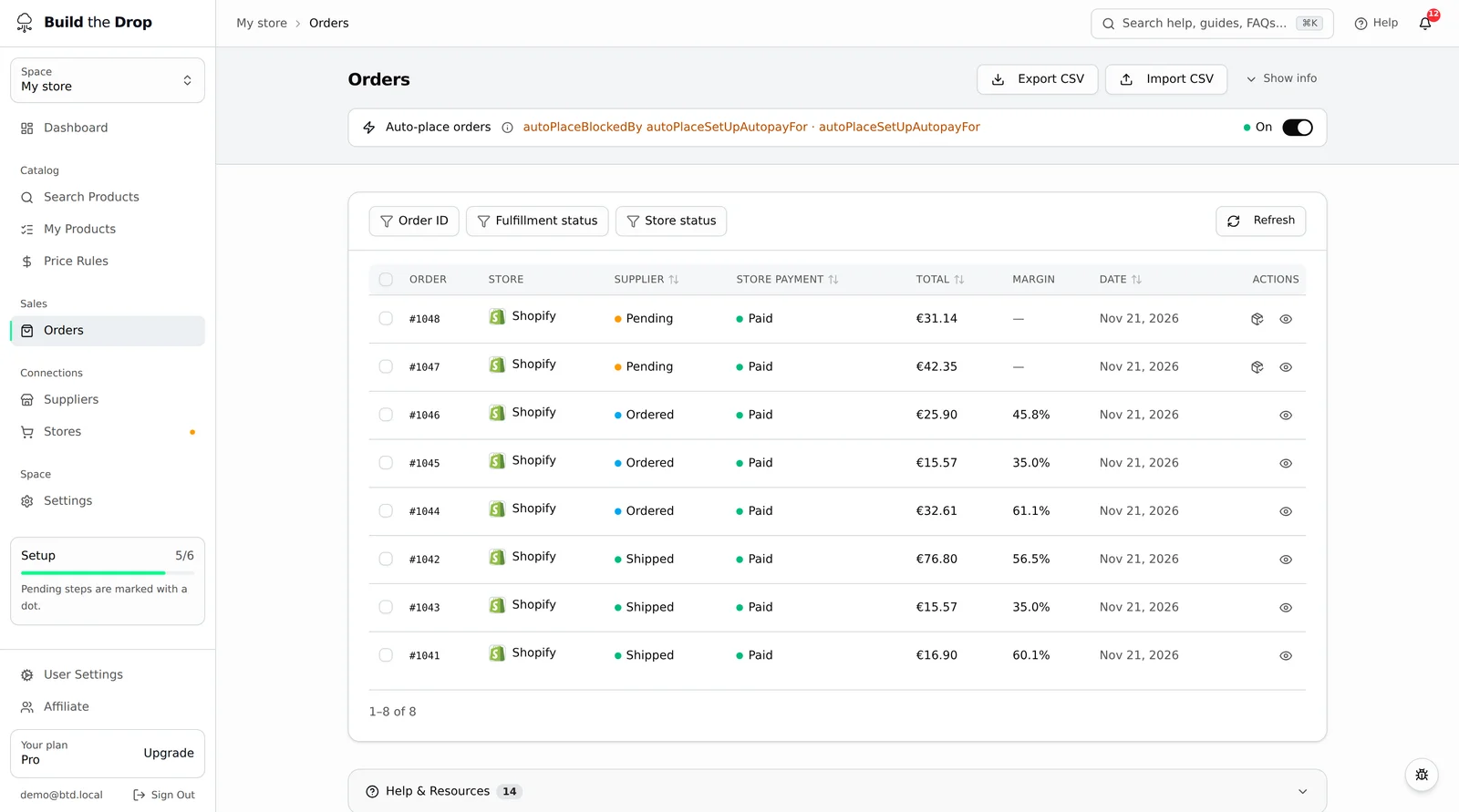
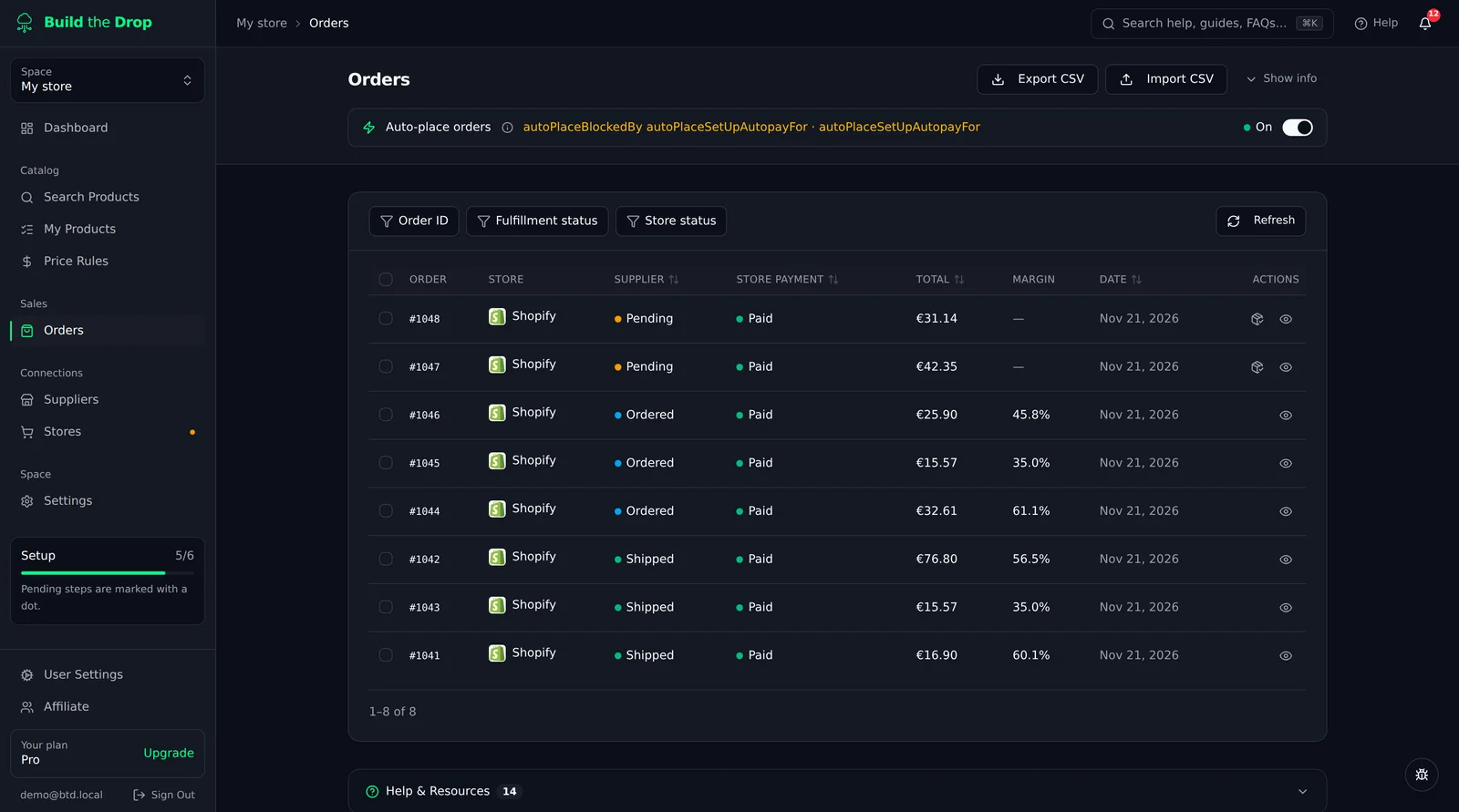
Every Shopify order shows up in Orders with what the customer paid and your margin. Place them one by one, select several and place them together, or let Build the Drop place and pay each one on AliExpress as soon as it arrives.
Built for speed: everything in bulk
Dropshipping is repetitive. These are the actions you can run on many products or orders at once — no browser extension, no copy and paste.
Save with tags and price rule already set
Pick the tags and price rule once in the search bar. Every product you save from then on gets them, so a whole batch is ready to publish.
Publish many products at once
Select products in My Products and publish them to Shopify in a single action. They are queued and published in the background.
Bulk edit tags and price rules
Add or remove tags, change the price rule or delete products across your whole selection, instead of opening them one by one.
Place orders in bulk
Select pending Shopify orders and send them all to AliExpress together. You see how many were placed and which ones need a look.
Auto-place and auto-pay
On Pro and Business, new orders are placed and paid on AliExpress the moment they arrive. Set a maximum cost per order and block orders that would lose money: those wait for you and you get an email.
Stock and prices on autopilot
Stock syncs 1 time a day on Free, 2 on Starter, 4 on Pro and every hour on Business. From Starter up, Shopify prices are recalculated when the AliExpress cost changes.
CSV export
Download your products, or your orders with carrier and tracking number, as a CSV whenever you need them outside Build the Drop.
We count products, not variants
Your plan limit is the number of products you import, whatever their variants. A T-shirt in 5 colors and 6 sizes is 30 variants and counts as 1 product. Before you compare plans, check what each limit counts: here it's always products.
- 50 products on Free, 300 on Starter, 1000 on Pro and 2000 on Business, per space
- Every variant, photo and option of a product is included
- Remove a product and its slot is free again
T-shirt
1 product30 variants · Colors 5 × Sizes 6
What you get with AliExpress
AliExpress has the largest catalog for dropshipping. Build the Drop connects with your own AliExpress account, so you buy at the price you see and keep your order history there.
Product score from 0 to 100
Sales, rating and shipping combined into one number, so you spot winning products without opening a hundred tabs.
Imported for your country
Products, variants and shipping are imported for the country your space sells to, so you only list what can reach your customers.
Auto-pay with your AliExpress account
Link PayPal on AliExpress, turn on auto-place in your space and orders are paid without you opening AliExpress.
What you get with Shopify
Build the Drop connects to Shopify through its official app. Your store stays yours: products are created in Shopify and you keep your theme, apps and checkout.
Products created in Shopify
Title, description, photos, every variant and the price from your rule, published to your Shopify catalog.
Stock and prices kept up to date
When stock or cost changes on the supplier, your Shopify listing follows on the next sync.
Tracking back to Shopify
Once the supplier ships, the tracking number is added to the Shopify order, so Shopify can notify your customer.
Plans for AliExpress and Shopify
Every plan connects AliExpress to Shopify. Pick one for the number of products you sell and how much you want automated.
| Plan | Free | Starter | Pro | Business |
|---|---|---|---|---|
| Price | 0,00 €/mo | 19,99 €/mo | 44,99 €/mo | 599,99 €/mo |
| Products | 50 | 300 | 1,000 | 2,000 |
| Stock updates | 1/day | 2/day | 4/day | Every hour |
| Automatic price updates | — | |||
| Auto-place and auto-pay | — | — |
Questions about AliExpress and Shopify
Guides for AliExpress and Shopify
How to Do Dropshipping on Shopify with AliExpress [2026 Tutorial]
Complete tutorial to connect your Shopify store with AliExpress in 2026: finding suppliers, importing products and automating prices and order fulfillment.
How to Connect AliExpress with Your Shopify Store for Dropshipping
Learn how to connect your AliExpress supplier account to your Shopify store using Build the Drop and start automating your dropshipping business.
How to set your Build The Drop shipping rates
Set what your customers pay for shipping on the products Build The Drop sends, so checkout in your Shopify store always offers shipping.
How Long Does AliExpress Take to Deliver to Spain in 2026? Times by Shipping Method
Real AliExpress delivery times to Spain by method (Standard, Premium, Choice, local warehouse), customs and the EUR 3 duty, tracking and what to promise customers.
AliExpress auto-pay: set cost limits for automatic orders
Automatic AliExpress ordering and payment: requirements, how to set a max cost per order, the loss protection, and what happens when an order is held.
AliExpress EU Warehouse Products: How to Find Items That Arrive in 3–7 Days
How to find AliExpress products stocked in Europe, check delivery for every variant, price them after the €3 EU duty and sell them from your store.



Connect AliExpress to Shopify today
Create your account, connect your store and your supplier, and publish your first products in minutes. Free to start.